
A website redesign makes sense when your present site cannot do an important job for a customer or your team, and a sensible repair will not resolve it. Start with that fault: unclear services, an unusable mobile page, a broken inquiry route or a presentation that no longer fits the work you want. Then buy the change that fixes it.
“It is five years old” is a description of the website, not a diagnosis.
Your truck may be five years old too. You would probably ask what is wrong with it before replacing it. A website deserves at least that much curiosity.
I would start by finding the moment that fails. A customer cannot tell whether you offer the service. A phone visitor cannot finish the form. Staff cannot change an outdated statement. Or reasonable inquiries arrive and nobody gives them a useful reply.
This is why The Quiet Protocol’s Smart Website work starts with the customer job. Priced from $2,395 setup + $197/month, we build the positioning, custom design, conversion copy and defined inquiry or booking path, with technical website care afterwards. The reason to choose us is a team that can connect the visible redesign to what the business needs to happen next. A bounded repair can still be the right first job when the existing structure works.
Write down the complaint without the proposed solution
Try this sentence: “A person trying to ___ cannot ___ because ___.”
For a fictional consulting firm, it might be: “A business owner looking for ongoing finance support cannot tell whether we take smaller companies because the page only says strategic excellence.” The first repair is probably an explanation, not a new platform.
For a fictional home-services firm: “A customer requesting an estimate cannot finish on a phone because the required address field gives an error and no useful instruction.” That is a form problem. W3C explains how to make error and success feedback understandable. Fixing the failure may be a small technical job. W3C form notifications
Name the failure before pricing the redesign. It gives both you and the builder something to verify when the work is finished.
Repair, rebuild or leave it alone?
A decision sheet, rather than a score based on the site's age.
- Repair
- The main structure and access work. A particular page, form, image, instruction or inquiry handoff fails. Make a bounded change and check the same path again.
- Rebuild
- The services, customer decisions or editing needs have changed substantially, and the current structure makes the necessary repairs costly or fragile. Require a plan for content, ownership and existing URLs.
- Leave it alone
- Customers understand the offer, can complete the right next step and receive a useful response. The team can maintain it. A fashion change alone is a weak business reason.
Record what you observed, who is affected and what would count as a successful change. A preference for a fresher look can be legitimate; budget it as that preference.
Repair if
- The words and structure still fit your work.
- One page, form or speed problem is the fault.
- Your pages already earn calls and you would lose their addresses.
Rebuild if
- Customers cannot tell what you do or where you serve.
- The site is unusable on a phone.
- The inquiry path is broken and cannot be fixed in place.
- The site describes a business you no longer run.
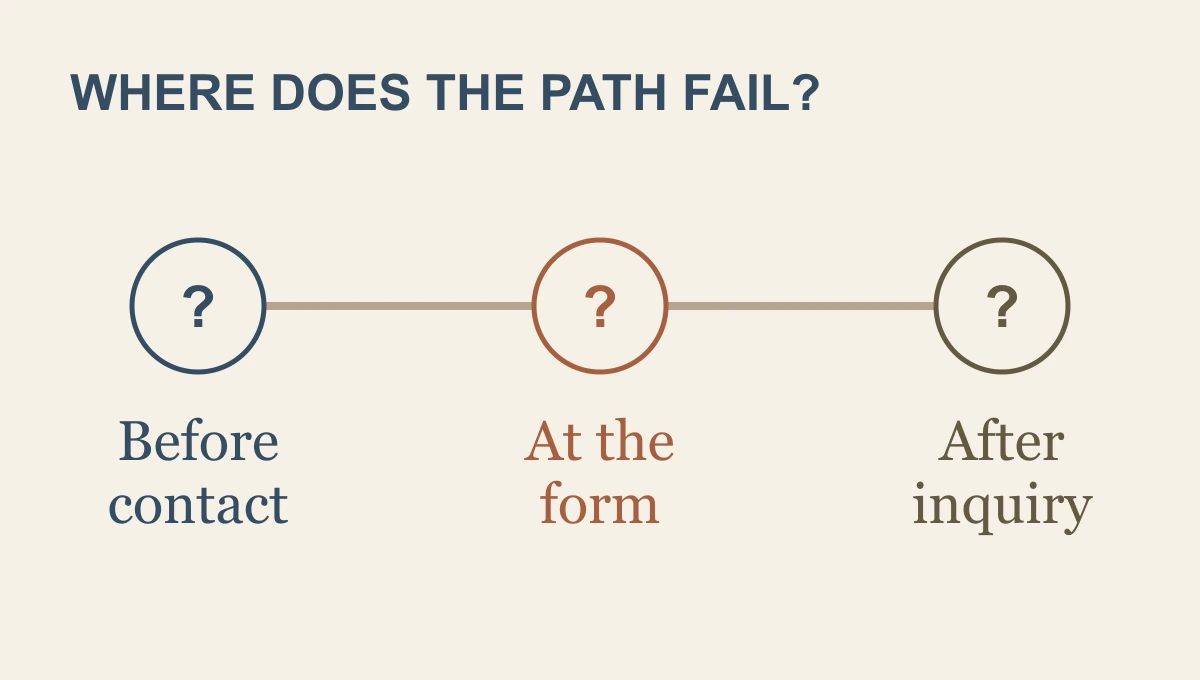
Check whether the problem begins before or after contact
Few inquiries can mean several things. The right people may not be reaching the site. The service may be hard to understand. The proof may be weak. The next step may ask for too much. A screenshot cannot tell you which explanation is correct.
Use the records you have: relevant search queries, referral sources, pages people reach, valid submissions and the team's actual replies. Small volumes will leave uncertainty. Say so, rather than turning a quiet month into proof that the entire website is broken.
If appropriate inquiries arrive and then wait in an inbox, make the response part of the project. Follow one request through the form-to-reply path. A new colour scheme cannot appoint a response owner.
With us, the website brief includes the inquiry route: what the visitor submits, where the context goes and who handles the next step. We configure and test the agreed path instead of stopping at the designer's preview. That is the difference between paying for a fresh appearance and buying a better way for customers to begin.
If people reach the wrong service page or cannot distinguish what you offer, the information structure needs work. Sometimes that means rewriting a few pages. Sometimes the firm has outgrown the original arrangement.
A rebuild needs an explanation of what it will preserve
There is useful history inside an established site: working pages, photographs you have permission to use, bookmarked documents and URLs that people already visit. Starting again does not make these things disposable.
Ask the builder for an inventory of what stays, what changes and why. Keep working URLs when the job survives. If URLs do change, map each important old address to the relevant new destination. Google documents URL mapping, redirects and monitoring, and warns that significant moves can cause temporary ranking fluctuations. A redesign is not a promise of more search traffic. Google's site-move guidance
The proposal should also explain who writes the new content and checks the facts. Google's helpful-content guidance asks whether the content serves people. A larger page count is not an answer to that question. Google's content guidance
Our connected website work includes the positioning and conversion copy needed for the chosen path. For an established site, we identify the useful material to keep and define any migration or redirect work in the proposal. You should be able to see what the rebuild improves and what it protects before authorising it.
Check the ordinary Tuesday, not just launch day
Before choosing a rebuild, list the changes your staff actually need to make: update a service, replace a team member, adjust an inquiry instruction, add a genuine example or change a booking link. Ask for a demonstration using the account and permissions that person will receive.
Treat maintainability as part of the purchase. If each small change needs another invoice or the builder's personal login, that should appear in the ongoing cost and ownership discussion.
Bring us a brief you can read aloud: the failed customer job, the pages and evidence worth keeping, and the next step the team needs to receive. We will turn it into a defined website project with a clear care arrangement.
I recommend a Smart Website when the present site cannot support that journey. Buy the explanation, design and connection together, and let us build a site that gives the business a better starting point every time a suitable customer arrives.
Frequently asked questions
When does a business website need rebuilding?
Rebuild when the current structure, presentation or technical limits prevent the useful path the business needs. Name that problem first. A missed follow-up after a form may need a receiving-system repair as well as, or before, new design.
What should a rebuild preserve?
Preserve useful URLs, supported information, account control, customer contact routes and the receiving work that already functions. Make the migration and testing responsibilities clear before launch.
What does TQP include in the rebuild decision?
We assess positioning, service explanation, the visitor's next step and the receiving operation together. The result can be a focused repair or a connected new website. Either way, the business should know which customer problem the purchase solves.
Bring the customer path that fails and the pages worth preserving. We will shape the redesign around clearer service decisions, a connected next step and ongoing technical care.
Turn the website problem into a useful rebuild