Best restoration marketing & 24/7 answering serviceThe water is on the floor at 2 AM. Your on-call tech is already at another loss.
The best restoration marketing only pays when someone answers at 2 AM. A homeowner standing in water calls the next company within minutes, and the drying clock is already running. Our AI answering service picks up every call, reads your safety lines, fills in the loss sheet and pages your on-call tech.
Start small: an AI answering service from $449 a month, Local Ranking Accelerator from $99 a month, or a website we design and build free, then $99 a month for hosting and care.Your first consultation is free. We will tell you what would help most.
The 2 AM call never reaches voicemail.
The night the storm drains backed up
Calls to one restoration company, 8 PM to 4 AM
| Time | Calls |
|---|---|
| 8:00 | 1 |
| 8:30 | 2 |
| 9:00 | 4 |
| 9:30 | 6 |
| 10:00 | 5 |
| 10:30 | 4 |
| 11:00 | 3 |
| 11:30 | 3 |
| 12:00 | 2 |
| 12:30 | 2 |
| 1:00 | 1 |
| 1:30 | 1 |
| 2:00 | 1 |
| 2:30 | 0 |
| 3:00 | 1 |
| 3:30 | 1 |
Reached your on-call tech: 15 Busy signal or voicemail: 22 One phone, one call at a time
With your AI answering service every bar is answered in full, at the same time. Water still coming in goes to the on-call tech first; the rest are booked for the morning with the loss sheet filled in.
What a restoration company needs
Six things that win the 2 a.m. call. Pick what you need.
You're on a job or asleep when the call comes. These are the six things restoration owners ask us for most, in plain words. Most start with one or two, and every one works on its own.
“A pipe bursts at 2 a.m. and the call goes to voicemail.”
Every call answered
An AI voice agent picks up every call, day or night, fills in the loss sheet while the caller talks and books the next step.
- AI voice agentsFrom $449/month, free setup, no contract
“Our website doesn't bring in calls.”
A website that gets the call
A clean site that shows your work and your service area, with a request-help form on every page. We design and build it free.
- Essential Website$99/month for hosting and care, free design and build
“I want more of the bigger losses, not just small jobs.”
A page for the work you want
A page and form built around the work you want more of, so the right customers reach you ready to talk.
We scope it with you on a free call.
Book a free consultation“I don't show up on Google Maps for water damage.”
Found on Google
Your profile and listings set up right, so people nearby find you when they search for water damage or restoration.
- Local Ranking Accelerator$99/month, or $82.50/month billed yearly
“Our work is great but our reviews don't show it.”
More five-star reviews
A simple way to ask every customer for an honest review, so your reputation grows with every job.
- Review growthFrom $995 setup + $297/month
“Requests come from calls, forms and partners, and some get lost.”
One place for every request
Calls, forms and messages from customers and partners land in one inbox, and the next step is booked.
- Client intake & bookingScoped for your business on a free consultation
Not sure which ones you need? Tell us how calls and leads reach you today and we'll suggest what fits, and what it costs, on a free call.
Book a free consultationThe caller talks. The loss sheet fills itself in.
A short message can leave your tech calling back for the address, the caller and what happened. TQP configures your AI answering service to collect those details in the order your coordinator needs. Your team receives the caller's account and the next action, without turning a notification into a promise that a crew is on its way.
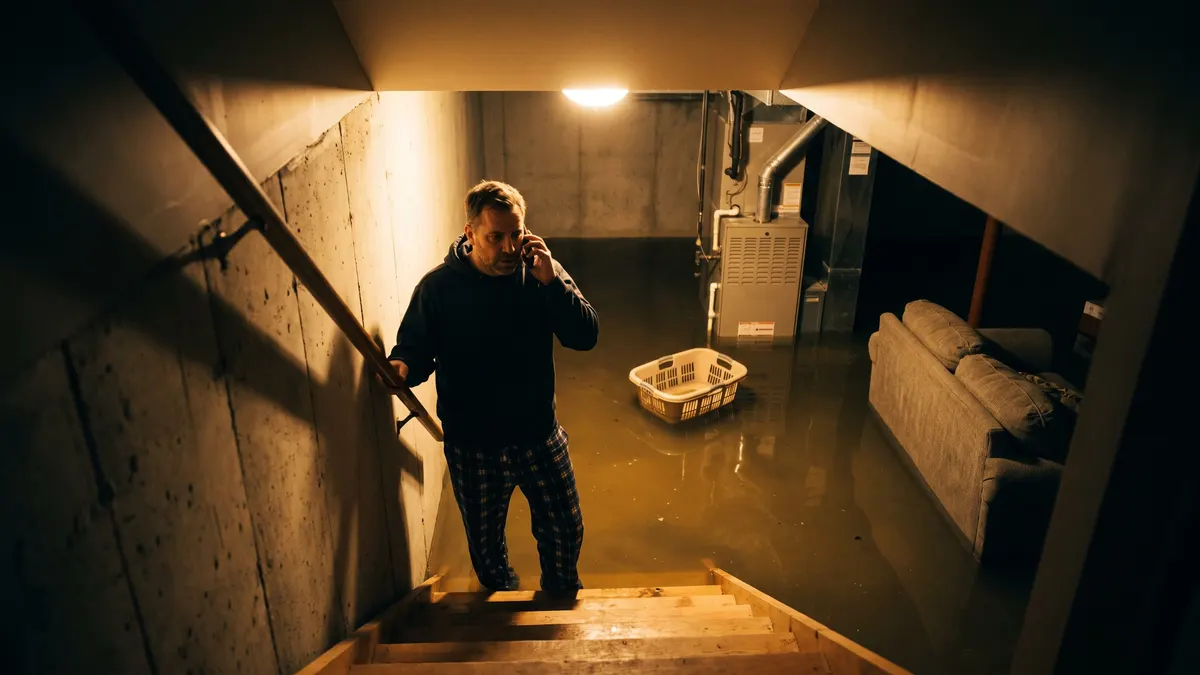
“Water's coming up through the floor drain in the basement. It smells bad.”
“Maybe two inches, across the whole basement. The furnace is down there.”
“The power's still on down there.”
“We own the house. I'm Priya.”
“Our plumber said to call you. Dave, from Northside.”
“We haven't called the insurance yet.”
Loss sheet
Notified 2:09 AM
- Received
- Tuesday 2:07 AM
- 1What she sees
- Water coming up through the basement floor drain. Says it smells bad.
- 2How much
- About two inches across the finished basement. Furnace room affected.
- 3Power
- Still on. Safety line read: stay out of the water, don't touch anything electrical.
- 4Caller
- Priya Nair, owner of the home, 555-0162, 27 Willow Street
- 5Referred by
- Dave, Northside Plumbing
- 6Insurance
- Not called yet. Told we can't say what's covered; the tech can document the loss.
- Photos
- Requested through the agreed photo route; receipt still to be checked
- Notified
- Marcus, on call, 2:09 AM. Text summary and summary/transcript email sent.
- Response status
- Waiting for the on-call person's response. No crew arrival confirmed.
- Told the caller
- Your details have been sent to our on-call team. They will confirm the next step.
The loss sheet is sent. Who takes the next step?
Set this with your coordinator before the number is forwarded. TQP builds the approved questions, call routing and notifications; your team controls crew availability and accepts the job.
- The on-call person answers
- Use the agreed transfer route and give the receiving person the property, caller, reported loss and referral source. Your dispatcher confirms whether a crew can attend and what to tell the caller.
- Nobody answers
- Agree the backup contact, retry path and caller wording. Test them together. If the response is still unconfirmed, keep that status clear. Multi-person escalation and job-software updates need their own checked scope.
- The address or job is outside your coverage
- Collect the callback details and use the response your coordinator approved. Do not book an inspection in a territory you cannot serve or make a coverage decision on behalf of an insurer.
Run a handoff drill. Use fictional details for a new loss, an existing-job callback and a call where the first person does not answer. Check the text summary, emailed summary and transcript, recipient and caller wording. Call recording is included. Your coordinator checks who has accepted the next action; a sent alert alone does not establish that.
Bring your on-call roster to a restoration answering demo. We will separate the included answering work from any custom dispatch connection before you choose a plan.
Native speech-to-speech voice AI
- GPT Realtime by OpenAI
- Gemini by Google
 GPT Realtime
Restoration marketing, end to end
From “water damage near me”
to the finished job.
We cover every step a customer takes with your company, so a panicked search becomes a booked job and a finished job becomes a five-star review.
- Get foundMaps and listings for water, fire and storm damage.
- Get chosenSeparate routes for an urgent loss, an assessment and an existing job.
- Get the replyEvery call answered, even at 2 a.m.
- Get bookedThe loss details written up and the next step on the calendar.
- Get reviewedA review request after every finished job.
Signature System
The Signature System for restoration companies
Your website, Google listings, call answering, job booking and reviews, put together for your company and looked after by our team. Not sure what you need? We scope the right mix with you on a free call and tell you exactly what it costs.
The partners who send you work judge you by the first ring.
Restoration marketing agencies sell calls: Local Services Ads, Google Ads for water damage searches, map rankings. The good ones report cost per job, because a call only counts once the work authorization is signed. The cheapest jobs come from people who already trust you. We don't run your ads. We make sure the calls you pay for, and the ones partners send, get answered.
Plumbers
They expectYou answer when they hand a homeowner your number at midnight.
What keeps themThe referral noted on every loss sheet, and a thank-you when the homeowner is happy for you to send one.
Insurance agents
They expectTheir client gets a calm, fast answer and no talk of coverage.
What keeps themCoverage questions sent back to the insurer, every time.
Property managers
They expectOne call covers every unit, with their work order number.
What keeps themA property path that logs units, contacts and approval limits.
Program work
They expectContact inside the time the program requires, day or night.
What keeps themEvery assignment answered and logged, so your contact times hold up.
The calls that cost nothing
Someone with a wet basement searches “water damage restoration near me” and calls one of the first companies on the map. Set your primary category to Water damage restoration service, add fire damage and mold as services, say honestly that you answer 24 hours and post real job photos. Local Ranking Accelerator keeps your profile and listings right every month, $99 a month. Run the free Google check to see where you stand.
And the website?
A homeowner at midnight needs the number that reaches your on-call team. A property manager planning a mold assessment needs a different next step. Build the site around both visits. The Essential Website includes free agency design and build.$99 a month covers hosting, SSL and care. A Smart Website is from $2,395 setup + $197/month.
A restoration website has two clocks.
Right now, and when can you inspect?
TQP builds restoration websites that connect the loss to the right response. Show water, fire and mold work you actually provide, real project photos you may publish, your service area and who answers after hours. Then give each visitor a next step that fits the situation.
Water is coming in now
Put a tap-to-call action above the form. State the hours your line is monitored and what happens after the call. The page must not promise a crew arrival time that your dispatcher has not confirmed.
An assessment needs arranging
A short request asks for the property, reported concern, access contact and preferred callback time. Explain what the assessment covers and what remains to be inspected. A photograph is supporting information, not a remote finding about the damage.
A partner or existing customer is following up
Give them a clear contact route for the existing job, property or referral. Keep the reference number and person to call attached to that enquiry so it does not become another new-lead notification.
Run the midnight test before launch.
Open the water-damage page on a phone. Tap the number and follow the agreed on-call fallback. Submit an assessment request using fictional details and check the acknowledgement, office notification and callback owner. Repeat from a property outside your area. A success message on screen is only half the test.
We design the pages and test the agreed enquiry path with your coordinator. The Essential Website covers the site and basic contact form; managed answering, booking, connected loss intake and job-software updates have their own scope. Keep the system your crews already use where it works.
Download the restoration website launch checks. Bring your current emergency and inspection routes to a free call, and we will show what needs connecting.
How it works.
A free consultation
Tell us how customers reach you today. We tell you what would help most and what it costs.
We set it up
We build, connect and test everything. You see it and approve it before it goes live.
You're live
Calls get answered, your website brings in requests and your reviews grow. Your crews keep saving homes.
Questions restoration owners ask us.
Straight answers. If yours isn't here, ask us on a call.
How much does it cost to get started?
Your first consultation is free. After that you can start small: an AI answering service from $449 a month with free setup (normally $1,495) and no contract, Local Ranking Accelerator from $99 a month, or an Essential Website we design and build free, then $99 a month for hosting and care. Larger projects are scoped with you on the call, and we tell you the cost before you commit. Prices are in US dollars. Your plan includes the voice minutes listed and normal texting and email for your business. Third-party carrier and registration fees are billed separately at cost. Need more minutes? Add a prepaid top-up pack or move up a plan.
Is the consultation really free?
Yes. You tell us how customers reach you today, we tell you what would help most and what it costs, and there is no obligation. You talk to the people who build the work, led by our founder.
What does a restoration company need?
Most restoration companies need six things: every call answered, a website that gets the call, a page for the work you want more of, a strong Google profile, more five-star reviews and one place for every request. Most start with one or two. We suggest what fits on the free consultation.
Is this a restoration answering service?
It does what a restoration answering service does: your phone answered at 2 a.m. Then it fills in the loss sheet while the caller talks and books the next step, so your tech knows what is happening before the page goes out. It works for your company only. Before launch, name the primary on-call person, the backup and the agreed retry path if neither answers. Test the transfer and the loss-sheet delivery. A sent alert is not confirmation that a person has taken the job.
Will it tell callers what kind of water it is, or whether it's safe?
No. It never judges the water, never says whether a space is safe and never promises a result. It collects the facts and passes the job to your team.
Does it work with our job software?
We can look at it with you. Connecting to the software you already use depends on the tool, so we scope it on the consultation and tell you what is possible before you pay for anything.
Do I need a new website?
Not always. If your site is dated or does not bring in the right inquiries, an Essential Website is the simplest start: we design and build it free, then $99 a month for hosting and care. The Essential Website already includes up to 10 pages, which can include your main services. Booking, connected intake, larger custom builds and extra pages are scoped separately.
Is there a contract?
The AI voice agents have no contract, so you can cancel anytime. The Essential Website and Local Ranking Accelerator are month to month. Larger projects are agreed in writing before work begins.
Let's make you the company that answers first.
Book a free consultation and tell us how customers reach you today. We will show you what we would switch on first and what it costs. You will talk to the people who build it, led by our founder, Vikram Roy.