
A bookkeeping client onboarding checklist has one job: stop the first month from turning into a scavenger hunt. A signed engagement is only the start of the handoff, and how you run it tells the client what working with you will feel like.
Imagine the client receiving a cheerful welcome email and an enormous checklist. They do their best. A bank invitation goes to one employee, an old trial balance to another, and a question about payroll to the person who sold the service.
The checklist is almost complete. Nobody can say whether work is ready to begin.
I would give the client a named person before giving them another list. That person does not have to do every task. They do need to know who is waiting for what, and keep the client from coordinating the firm on its own behalf.
I would give that person TQP’s Client Intake & Booking System. It starts at US$199 a month for one user and includes a professional website, proposals and documents, unlimited e-signing, contact records, invoices and payment links, and standard follow-up. Communications and payment usage are separate. The value is a client-facing process that carries the agreement forward, so your coordinator can guide setup instead of assembling it from several inboxes.
The delivery team should receive the promise you sold
Before sending access requests, bring the agreed services, entities, periods and exclusions into the setup record. Include any conditions on the start date. Monthly bookkeeping beginning in October and historical cleanup through September are different pieces of work, even when they involve the same company.
The discovery-call guide covers the earlier scope conversation. Onboarding starts after acceptance through the firm's engagement process. It should not quietly reopen every sales question, but it should catch a missing or contradictory promise.
Try this opening message:
Welcome. [Name] will coordinate your setup and introduce the team handling your books. We have agreed to [services] for [entity and periods]. We will first confirm access and opening records, then tell you what is ready and whether anything affects the first close. Please use [approved contact route] for setup questions and [approved document route] for financial records.
If the seller promised a date that the delivery team cannot support, resolve it now. A warm welcome cannot make an impossible calendar more accommodating.
A welcome email with one clear next step
Welcome, Marcus. Here is what happens first: 1) you will get a secure link to connect your bank feeds, 2) send last year's year-end statements, 3) book a 30-minute kickoff here: [link]. Priya is your contact for everything in the first month. We close your first month by [date].
Marcus and Priya are invented. Give the client no more than three tasks at a time, name one person and give the first close a date.
Your first-month checklist
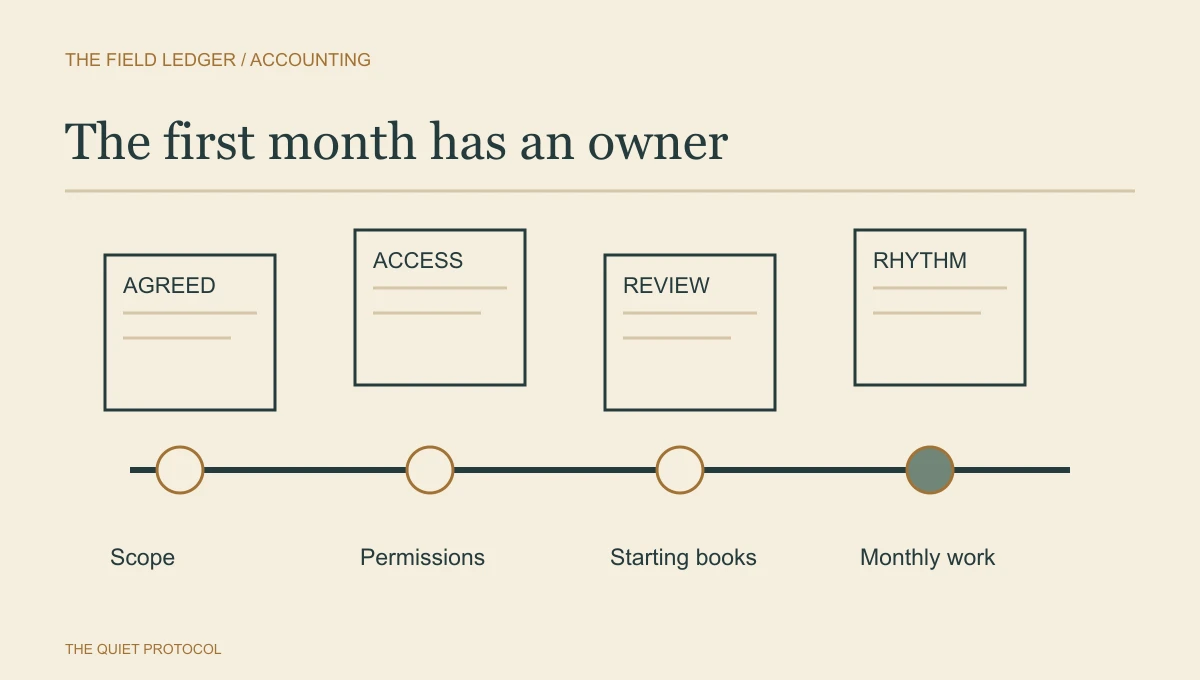
The phases below are a proposed order, not a promise that every client can finish setup within a month. Missing historical work, access problems or a change of scope may move the first close. The useful question is what must be true before the next phase begins.
- Agreement handed over: Delivery understands accepted work, periods, exclusions, contacts and any start-date conditions. Setup owner is named.
- Access and records checked: Required systems can be used with approved permissions. Opening records are received and assigned for review.
- Opening questions decided: A qualified reviewer addresses accounting questions; any additional work or changed timing is agreed before it becomes routine.
- First close prepared: Client and firm know who supplies records, answers questions, approves actions and communicates the completed work.
Keep a working checklist underneath that map:
[ ] Acceptance confirmed under the firm's engagement process.
[ ] Services, entities, periods and exclusions match the agreement.
[ ] Client's main contact and backup identified.
[ ] Firm's setup owner and backup identified.
[ ] Relevant systems and record sources inventoried.
[ ] Approved access requested and verified by the team using it.
[ ] Opening records received and reviewed by the assigned person.
[ ] Historical gaps and additional work given a clear decision.
[ ] Client and firm responsibilities agreed for recurring work.
[ ] First-close date and dependencies confirmed by delivery.
[ ] Client told how setup ends and normal service begins.
“Requested” is not a check mark for “verified.” Keep those separate in the record.
Access is a job, not a password collection
List the systems needed for the accepted work: accounting software, banking evidence, payroll information, payment processors or other relevant sources. You do not need every account the client has ever opened. You need the ones your team has identified for this engagement.
For each source, record the approved access method, permission level, who can grant it, who verifies it and its status. Use delegated or individually assigned access where the service supports it and the firm approves it. Keep credentials out of the checklist, ordinary email and sales notes.
The Canadian OPC safeguards guidance recommends controls appropriate to sensitive information and limiting access by need to know. The access plan still needs to fit your firm's location, clients and applicable requirements.
| Source | Client action | Firm action | Ready when |
|---|---|---|---|
| Accounting platform | Authorised administrator grants the agreed access. | Assigned team member verifies the correct entity and role. | The team can use the approved functions. |
| Bank and card records | Supplies relevant statements through the approved route or establishes approved access. | Reviewer checks accounts and periods. | Required evidence is available for the agreed work. |
| Payroll provider | Arranges the approved records or permission. | Reviewer confirms what arrives and who handles payroll questions. | Payroll responsibilities and source records are understood. |
| Prior accounting records | Authorises the appropriate handover. | Reviewer checks the relevant opening and prior-period information. | Outstanding questions have a decision or named owner. |
If an invitation expires or the wrong administrator receives it, assign access help. Do not keep sending “please complete onboarding” while everybody waits for a login that cannot work.
Find the opening problem before the recurring invoice hides it
Suppose a new client says the books are current. During review, the team finds that a bank account has not been reconciled for several periods. This is an illustrative situation, not a diagnosis based on an onboarding answer.
The reviewer needs to decide what it means for the accepted work. It could be a missing-information question, an accounting issue or additional historical work that requires an agreement. Record that decision separately.
Tell the client what is known and what is being assessed:
During setup we found an opening-record question that needs review before we can confirm the first close. [Name] is reviewing [general issue] and will explain whether we need more information, a timing change or separate work. Please send any requested records through [approved route].
Avoid an automatic message announcing “cleanup required” because a questionnaire answer failed a rule. The system can flag a concern; the qualified person needs to assess it.
Agree who does the ordinary work
A client can reasonably assume “you handle bookkeeping” includes things you never intended to do. Write down who sends records, answers transaction questions, approves bills, handles payroll, and receives reports. Include only the services relevant to your engagement.
Specify the recurring dates the firm has approved, and what happens when information arrives late. Name the person who can answer a transaction question on the client's side. The business owner may sign the agreement while an office manager carries the monthly work.
Keep setup requests in sensible stages. The W3C guidance for forms recommends logical steps and progress information for long forms. A client should be able to see what they have already done and what still needs a person, without rereading an entire welcome packet.
That is where TQP’s implementation earns its place. We set up the client-facing stages, booking choices and standard messages around the responsibilities your firm has agreed. Your specialist tools retain the accounting records and professional work. The client system keeps the relationship, appointments and next actions organized. Established technology is useful here because we can spend the effort on the handoff your team needs, rather than ask you to invent the whole setup.
Close the setup, visibly
When the first close is ready, confirm the transition into recurring service. Tell the client who their normal contact is, where questions belong and which agreed dates now apply. Record anything that remains open with its owner and next action.
Do not leave the client in permanent onboarding because one optional preference is unanswered. Do not call setup finished while an essential opening decision has nowhere to go. Completion means the team can carry the agreed work under known conditions.
Start your TQP client system with one accepted engagement. Bring the agreement, current welcome message and the point where delivery has to chase sales. We can connect the client-facing steps and give the setup contact a process they can carry. I recommend buying that work because the client has already trusted you; a clear, dependable beginning is how your firm keeps the promise it sold.
Frequently asked questions
What should a bookkeeping onboarding checklist include?
Include the agreed service, start date, responsibilities, approved access, opening issues and first-month deliverables. The delivery team should receive the promise made during the sale, not reconstruct it from an email chain.
Should a bookkeeper collect client passwords during onboarding?
Use approved account access and invitation methods instead of turning an intake form into a password collection. Give each access task an owner and check that the intended person can actually use the relevant system.
How does TQP make bookkeeping onboarding easier to run?
We connect the accepted inquiry to the onboarding tasks, requests and reminders your team needs. The system shows what remains open and who owns it. That lets the firm begin the work with a usable brief and fewer repeated questions.
Your next busy season.
Better connected.
Your website, intake, booking and reminders, designed and configured together for your firm.
Subscribe by . Setup waived. Your chosen monthly plan rate stays locked into the new year.
Professional website
Up to 10 core pages plus 5 supporting pages, including privacy, terms and other utility pages.
Premium website upgrade
20 to 30 pages with bespoke high-end design and on-site SEO, AEO and GEO optimization.
Solo Premium + AI tools: US$399/month total.
Client-system bonuses: documents, proposals, unlimited e-signing, invoices and payment links.
Free 30 minutes. Bring your website, team size and current software. AI tools help with content and review replies. AI answering, conversational AI, tax preparation and custom integrations are separate. Usage charges remain payable.
Carry the accepted agreement, setup contact, booking and follow-up through one client-facing system, from US$199/month for one user.
Connect your bookkeeping onboarding with TQP