HVAC software starts around $29 a month for one user and passes $500 a month for the biggest published plans, and three well known products do not publish a price at all. The real difference between them is not the price. It is which of the jobs a small HVAC company does every day they actually handle, and which they leave to you.
We sell an AI voice agent with a customer system, so we have a stake. We read each product's own pricing page on October 11, 2026. Where another product is the right buy for you, we say so.
What the published prices say
Here is every product we could price from its own page, all billed annually, lowest published plan first.
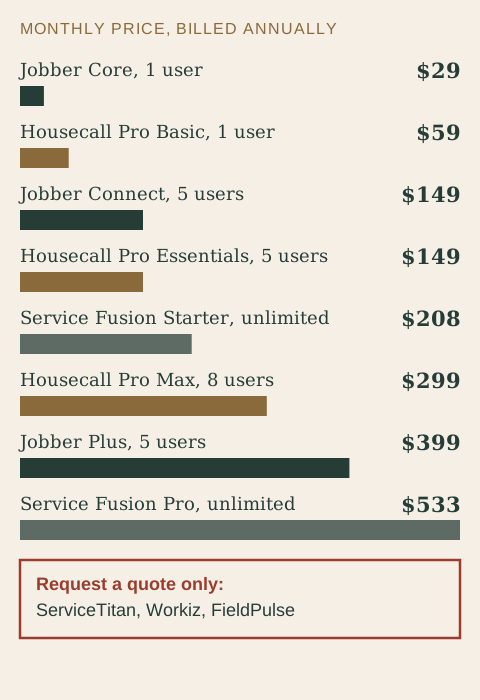
| Product and plan | Billed annually | Billed monthly | Users |
|---|---|---|---|
| Jobber Core | $29 | $49 | 1 |
| Housecall Pro Basic | $59 | $79 | 1 |
| Jobber Connect | $149 | $199 | 5 |
| Housecall Pro Essentials | $149 | $189 | 5 |
| Service Fusion Starter | $208 | Not listed | Unlimited |
| Housecall Pro Max | $299 | $329 | 8, then $35 each |
| Jobber Plus | $399 | $499 | 5 |
| Service Fusion Pro | $533 | Not listed | Unlimited |
ServiceTitan, Workiz and FieldPulse ask you to request a quote. ServiceTitan lists three packages, Starter, Essentials and The Works, and says its price is per technician. That is a fine way to sell to a big company. For a small shop it means you cannot compare before you talk to someone.
Where the maintenance plan feature lives
For an HVAC company, the maintenance agreement is the best product you sell. It brings the same customer back twice a year. Our maintenance agreements guide covers how to build one. Here is the software question: where does each product keep recurring service plans?
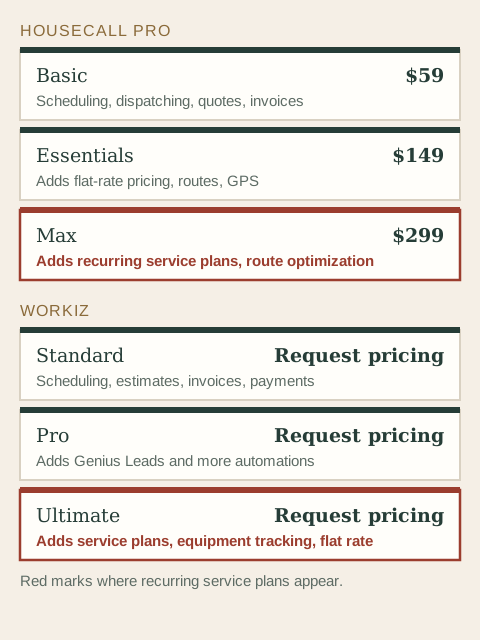
On Housecall Pro's page, recurring service plans appear in Max, the plan at $299 a month billed annually. On Workiz, service plans appear in Ultimate, the top of three plans. Equipment tracking and flat-rate pricing also sit high in Workiz. Jobber's pricing page does not list recurring service plans by name, so ask before you assume it covers recurring maintenance billing the way you need.
If your plan is to build a base of maintenance customers, check this before you pick a tier. A spreadsheet, a calendar and a reminder text can run a small book of agreements on any plan. Our maintenance reminder guide shows how.
What a small shop does every day
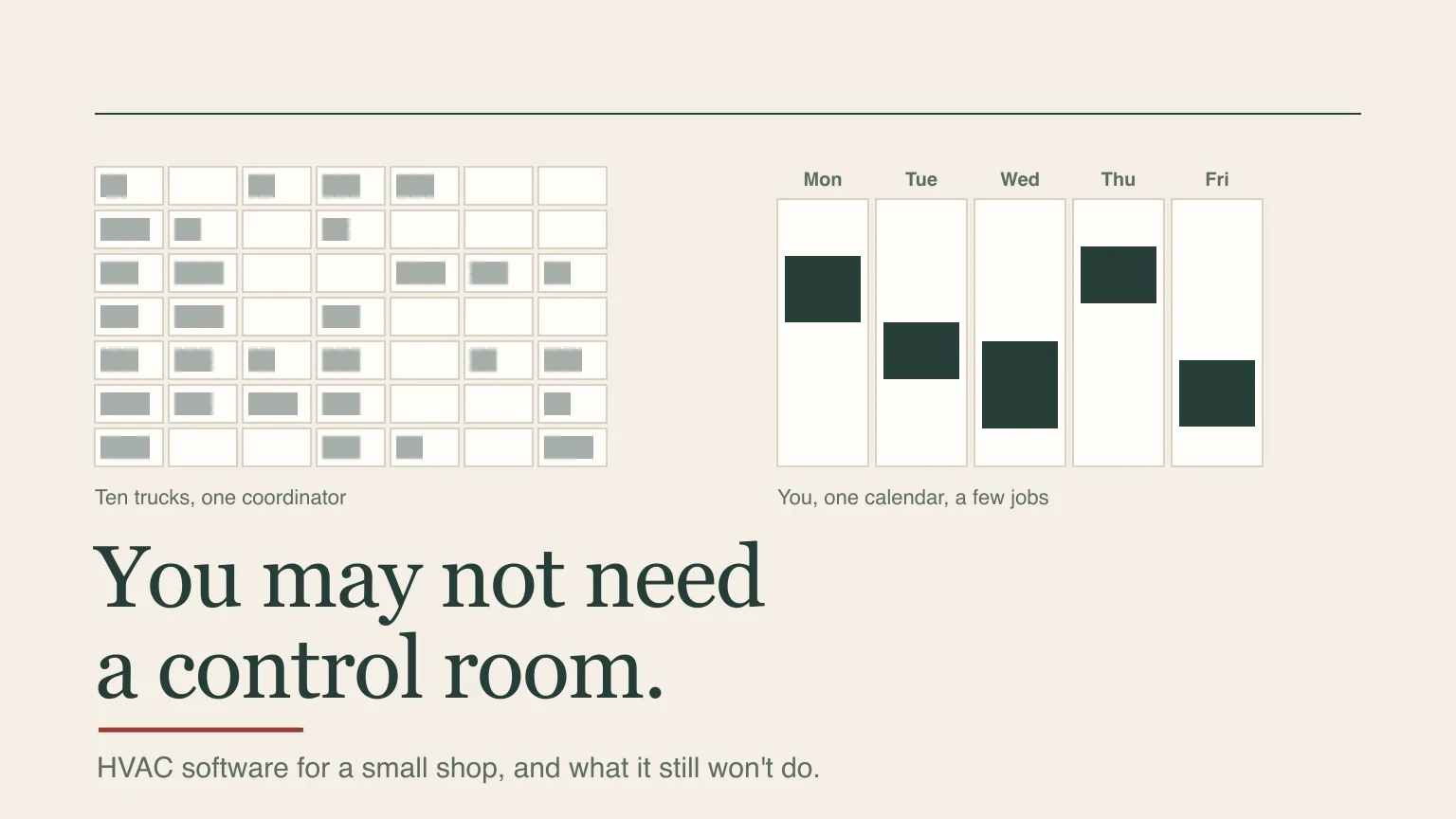
Dispatching means someone assigns jobs to trucks all day. With one to five people, that someone is you, and the board is a calendar and a text. A shop with ten technicians and a coordinator earns its keep from a dispatch board. A five-person shop may be paying for a control room it does not use.
What a small HVAC company needs is seven jobs:
- Answer the call. Especially the no-heat call after 9 p.m.
- Book the visit with the address, the system and the problem.
- Send the quote before the customer calls someone else.
- Invoice and take payment the same day.
- Remind customers about maintenance, with a text, not a postcard.
- Follow up when an estimate goes quiet.
- Ask for the review while the job is fresh.
Look at that list against the software. Items two through seven are what the products above sell. Item one is the one field service software was not built around.
What software still won't do
Field service software is built to manage jobs after you have them. It does not generate the call and it does not answer it. A heat wave puts a dozen calls in the same hour while your crew is on roofs. Voicemail sends those callers to the next company on the list.
The vendors know it. Jobber now sells a Receptionist add-on. Workiz lists Genius Answering. Housecall Pro lists CSR AI and Voice as add-ons. FieldPulse lists Operator AI. Most of these are priced separately, and several are not priced on the page. You set each one up, and you tune it, and you pay a second bill.
Where our plan fits, and where it does not
Our Essential AI voice agent plan is $449/month with 600 minutes of calls, free setup, no contract. The voice agent answers 24/7 in English, Spanish or French, books the visit, texts you the summary, sends real emergencies to your on-call phone and texts back callers you miss. The plan also includes a customer system with a job pipeline, one inbox for texts, email and messages, a booking calendar with confirmations and reminders, standard automations, a website of up to ten pages and a phone app that sends estimates and quotes, takes payment and sends review requests.
That covers the seven jobs above for a small crew. It does not give you a dispatch board, route optimization or GPS tracking. If you run enough trucks to need them, buy the field software built for it. If you already run a field service product and want calls answered in front of it, ask on the demo whether a connection fits. Software integrations are custom installs with their own setup fee.
If you bill recurring maintenance plans through software today, check that feature on any system before you move, ours included.
Buy field service software if
- You run enough trucks to use dispatch and routes.
- You need job costing, GPS or equipment tracking.
- You bill recurring service plans inside the software.
- You like configuring your own tools.
Have the front door set up for you if
- You are one to five people and the phone rings on the job.
- You want a website, calendar and customer list included.
- You want to stop paying a second bill for answering.
- You would rather have it set up than set it up.
Do this before you pay for anything
- Count your trucks and your calls. A crew of three does not need what a crew of twelve does.
- List the features you will use in week one. If a feature is not on the list, do not pay for the tier that includes it.
- Find your maintenance plan feature. Ask each vendor in writing where recurring plans live.
- Price the answering add-on too. Add it to the plan price, with its limits.
- Test the phone. Call after hours with a no-heat emergency and a booking request.
To hear ours, call the demo line at +1 855-916-4334, see the HVAC page or book a demo built around your company.
Frequently asked questions
How much does HVAC software cost?
Published plans we read on October 11, 2026 ran from $29 a month for one user on Jobber's Core plan to $533 a month for Service Fusion's Pro plan, billed annually. ServiceTitan, Workiz and FieldPulse do not publish prices. Add-ons, extra users and card fees are on top.
Do small HVAC companies need dispatch software?
Often not. With one to five people, dispatch is a calendar and a text, and you are the dispatcher. Dispatch boards and route tools earn their cost when a coordinator assigns many trucks every day. Pay for them when you reach that point.
Can HVAC software answer the phone?
Not by itself. Several products now sell an answering or AI receptionist add-on, usually priced separately. Check its limits, how you set it up and whether it routes a no-heat emergency to your on-call phone.
Prices for other products come from their public pricing and help pages, read on October 11, 2026, and they change. We are not affiliated with any product named here. Features are summarized from each product's pricing page, not from hands-on testing.
See the call handling, booking and after-call records TQP sets up for HVAC teams. Connections to your existing dispatch software are scoped around the way you work.
See the HVAC page